How
to get a library card
Library cards are required for all transactions
concerning library books and materials.
If you have a valid UNR ID card or Nevada Community College Library card:
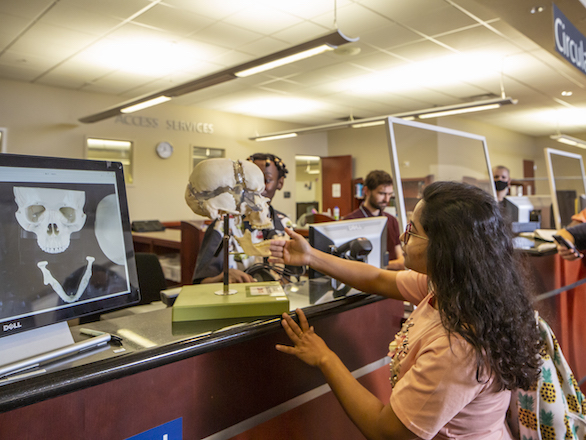
- Present your University ID (Wolfcard) at the circulation desk of any of the University Libraries. This is your library card as well.
- DRI, Great Basin College and Western Nevada Community College Library cards are also honored.
- Truckee Meadows Community College Students must fill out a registration form and show proof of current enrollment.
More information about borrowing privileges
How to borrow a book
- Present your library card & the books you want to borrow at the circulation desk.
- The books will be stamped with the date they are to be returned or renewed.
- A person is responsible for all materials checked out on his or her library card until those materials are returned to the library from which they were borrowed.
- If you need help locating books on your subject ask for help at the Reference Desk.
Where to return your library books
- Books may be returned at book returns located at the circulation desk, the outside bookdrops at the back of the Main Library and in front of the Life and Health Sciences Library or at any University of Nevada, Reno branch library.
- When the library is closed, books may be returned in the outside bookdrops.
- A person is responsible for all materials checked out on his or her library card until those materials are returned to the library from which they were borrowed.
How to renew a library book
There are three ways to renew books:
Renewing your books by phone
775-682-5625
When you call, please have with you:
- your UCCSN ID library card
- books you wish to renew.
After renewing books by phone, please write the new due date on the slip in the back of the book(s).
Renewing books using the WWW
- On the Libraries' home page, click
Renew items checked out
OR
On the Library Catalog menu, click View your circulation record. - Type your NetID username and password.
- Click the button labeled Display record for person named above.
- The next screen displays your name, address, telephone number.
If you have items checked out, a button, like the one below, shows the number of items checked out:
![[screenshot]](../../images/checkedout.gif)
- Click the button to display items checked out, with due dates.
- Click the check boxes next to items you want to renew, then click Renew Selected Items OR click Renew All.
- Renewals are blocked if a fine is due or if someone else has placed a hold on an item.
- If your books are overdue you will have to telephone or renew books in person at the Circulation Desk.
Renewing your books at the Circulation Desk
To renew your books at the Circulation Desk of the Main Library or at any of our branch library circulation desks, just present your library card and we will be happy to help you. No need to bring the books with you.
If your library books are overdue
An overdue book is a book that has not been returned or renewed on or before the date it was due.
- Return overdue UNR library books to one of the University Libraries as soon as you discover they are overdue.
- One notice will be mailed when the book is one day late.
- The next notice, mailed after the book is 10 days overdue, will be a bill for the replacement cost of the book plus a $10.00 processing fee and a non-revocable $5.00 billing fee.
- When you return a book that has been billed, there will be a $5 billing fee for each book.
- Before the bill is printed, an overdue book may be renewed in person or by phone. Ather the bill is printed, the book must be presented at the circulation desk to be renewed.
If you can't find a book on the shelf
- Check the Library Catalog for availability. If the item is checked out, the date the book is due will display. You may place a request for this item either on the computer or at the circulation desk.
- The item may have been returned in the last three days. The message "See reshelving" will be displayed.
- When the message "Not Checked Out" displays, the book you want may be missing. You may place a search on it. Request a search at the circulation desk.
Need a book that's already checked out?
- If you have a week to wait for a book displaying a due date in the Library Catalog, "recall it" and place a hold on it to be the next to use it.
- Display the item in the Library Catalog, Click the Request button.
- When prompted, enter your name and library barcode number from your UCCSN ID card.
- Whoever currently has the book will be notified that they have a week to return it. You will be notified when the book is ready for you at the Circulation Desk.
- The "Request" feature helps those who work well in advance of assignment deadlines.
- If you want it more quickly, click on the Link+ button at the top of the screen. This will initiate a request to borrow a copy from one of our partner libraries in California. More information about Link+
Borrowing privileges
Borrowing privileges for persons affiliated with the University & Community College System of Nevada (UCCSN)
- UNR Undergraduate Students
- UCCSN Community College Students
- UNR Graduate Students
- UNR Faculty
- UNR Letter of Appointment Instructors
- UNR Adjunct of Clinical Faculty
- UNCCSN Community College Faculty and Part-time Instructors
- UCCSN Classified Staff
- UNLV Faculty
Borrowing privileges for persons who are not students, faculty or staff with UCCSN